


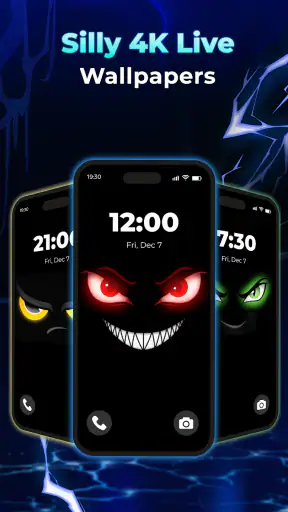
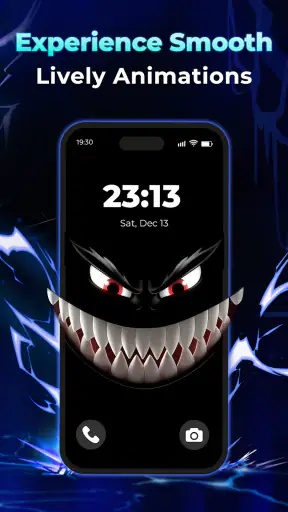
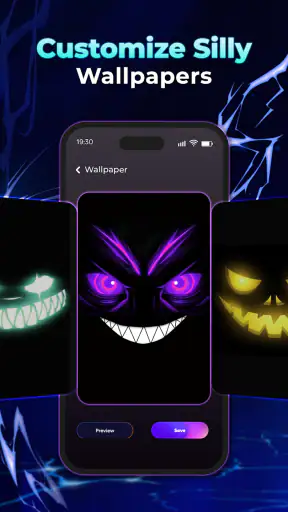
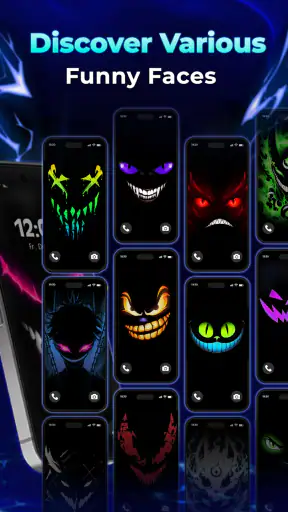
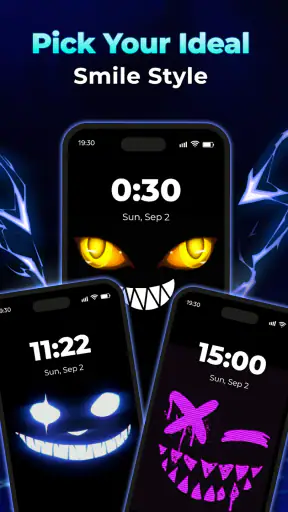
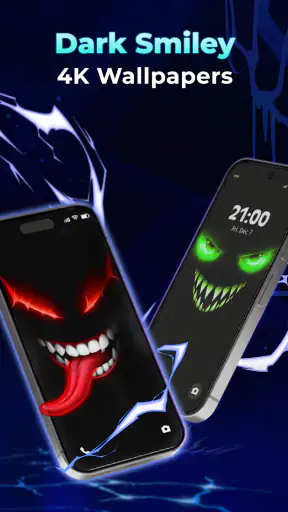
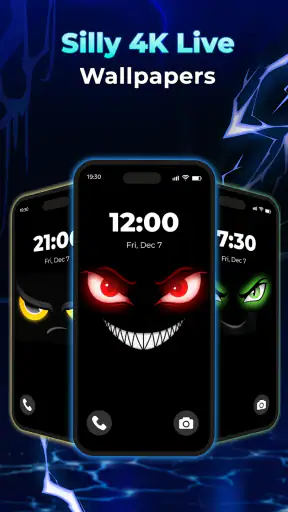
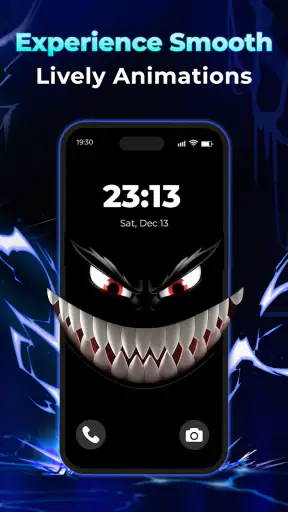
I like phone personalization that changes the mood without turning the device into a project. Smiley Fun Live Wallpaper takes that simple idea and gives it a bright, animated treatment: playful smiley artwork designed for the home screen, with a 4K presentation that can make a modern display feel more lively. I reviewed it as a personalization app from Hypernova Limited, and my overall impression is that it works best as a small visual lift rather than a deep customization platform.
The important distinction is that this is a live wallpaper app, not a launcher replacement, icon pack, messaging tool, or family-management service. Its job is visual. That narrow purpose is actually useful in a household where several people use the same type of device or where one person wants a cheerful background without changing how the phone behaves. The app is free, rated for Everyone, and available for devices running Android 7.0 or later, which makes it approachable for older phones as well as newer ones.
A cheerful background for a shared household phone
A realistic use case is a phone kept in a kitchen, living room, or family workspace. Different people may pick it up during the day, but nobody wants to spend time reorganizing the home screen. A lively smiley wallpaper gives the device a recognizable identity while leaving the app layout, widgets, and shortcuts alone. I find that especially practical when a shared phone needs to feel friendly rather than tied to one person’s taste.
It can also suit a child’s first household device when an adult is choosing the visual style. The bright theme is easy to understand, and the Everyone age rating makes the presentation broadly suitable. That does not turn the app into a child-safety product, though. The wallpaper changes the appearance of the screen; it does not replace supervision, screen-time arrangements, or the normal boundaries an adult sets around a shared device.
For a personal phone, the appeal is more immediate. A static photograph can look polished, but it eventually becomes part of the background. Animated smileys keep the screen feeling active whenever I return to it. The effect is intentionally lighthearted, so I would recommend it to someone who wants personality and color rather than a minimalist black background or a realistic landscape.
The app’s store summary focuses on animated 4K smile live wallpapers, and that description matches the central experience without making it sound more complicated than it is. I would not install it expecting a full theme engine. I would install it when the goal is to make the home screen feel more playful in a few minutes.
What the visual style gets right
The smiley concept is immediately readable. There is no learning curve involved in understanding what the wallpaper is trying to do, and that matters on a shared device where not everyone has the same preferences or technical confidence. The design language feels more welcoming than an abstract animation that needs explaining.
The 4K label is most meaningful on a sharp, reasonably large display. On a smaller or older screen, the difference between a high-resolution animated background and a good static image may be less obvious. I still appreciate the extra clarity because wallpaper can look soft after cropping, scaling, or being viewed behind icons. The practical benefit depends on the phone’s display and the way Android frames the image.
My favorite way to use a wallpaper like this is to keep the rest of the home screen restrained. A crowded grid of colorful icons, busy widgets, and an animated background can compete for attention. Leaving some open space around the main icons makes the smiley design easier to enjoy and keeps the phone usable. That is a small setup choice, but it changes whether the result feels playful or visually noisy.
Setting it up without crossing personal boundaries
On a private phone, I would treat the installation as a quick personalization decision: install the app, inspect the available wallpaper presentation, apply the option that fits the screen, and then return to the home screen to check readability. On a shared phone, I would be more deliberate. The person who maintains the device should make the change, and everyone who regularly uses it should know that the background has been updated.
That coordination matters because a live wallpaper is visible to everyone who wakes the phone. One person may see the animation as cheerful while another may find movement distracting. A short conversation before applying it avoids the awkward situation where a shared device suddenly looks different and nobody knows who changed it. If the phone belongs to a household, I would also check the lock screen and home-screen icons afterward so the new background does not make important shortcuts difficult to spot.
I would not assume that choosing a wallpaper creates separate experiences for different users. The sensible expectation is a shared visual choice on whichever Android profile or home screen receives it. If a household needs genuinely separate appearances, separate user profiles or individual devices are a better solution than expecting one wallpaper app to manage account boundaries.
This is one of the app’s key limitations: it personalizes the phone at the surface level, but it does not solve household organization. It cannot decide whose turn it is to use the device, distinguish a parent from a child, or keep one person’s visual choices isolated from another’s. That is not a flaw in the wallpaper itself, but it is important to understand before installing it on a device used by several people.
Coordination is more important than the animation
When several people share a phone, I would agree on three simple points before applying the wallpaper: whether motion is welcome, whether the home screen remains readable, and who can change the appearance later. These are ordinary household decisions, but they prevent personalization from becoming a source of small arguments.
A useful routine is to apply the wallpaper while the device is on its normal home screen, then open the most-used apps and check the icons against the moving background. If a smiley or bright area sits behind a key shortcut, moving the icon or simplifying the layout may help. This is more useful than judging the wallpaper only from its preview because the real test is whether the phone remains easy to operate.
I would also show less confident users how to recognize the app’s effect without suggesting that they need to manage it themselves. On a family phone, a child may enjoy the visual change but should not be expected to understand every personalization setting. Likewise, an older relative may prefer the cheerful design but need a clear, uncluttered home screen. The best shared setup is the one that looks friendly while keeping everyday actions obvious.
For coordination between devices, the app is better viewed as a style choice than a synchronization tool. A household could choose similar smiley backgrounds for several phones to create a common feel, but I would not expect the app to coordinate those choices automatically. Each device should be treated as its own setup, with the owner or regular user making the final decision.
Age context and reasonable trust
The Everyone rating makes Smiley Fun easy to consider for a broad household audience. The subject is non-threatening and familiar, and the visual idea does not depend on mature themes. That makes it a comfortable choice for a family tablet or a child-facing phone when an adult is already responsible for the device.
Still, an age rating should not be confused with a complete trust assessment. A wallpaper app can be suitable in appearance while the device itself still needs normal care. I would install it through the official app marketplace, review the Android prompts shown during setup, and make sure the person responsible for the phone understands what is being changed. Those are sensible habits for any personalization download, especially on a device used by a child.
Because the app is free, the initial decision is relatively easy for a household budget. Free does not automatically mean frictionless, however. I would pay attention to how the app behaves during installation and whether the resulting wallpaper is comfortable for the person who uses the phone most. If the animation becomes irritating, the right response is simply to switch back to a static background rather than forcing everyone to accept it.
That ability to reverse the choice is another reason I see it as low-risk personalization. The wallpaper does not need to redefine the phone. It can be tried for a day, discussed with the household, and removed if it does not work. In a shared setting, that trial mindset is healthier than treating a visual change as permanent.
Where it fits among wallpaper alternatives
Compared with a normal static wallpaper, Smiley Fun offers more movement and personality. A photograph or plain color is usually calmer, consumes less visual attention, and may be preferable for work, reading, or a phone used in a quiet environment. The animated smiley approach wins when the user wants the home screen to feel energetic every time it appears.
Compared with broad wallpaper libraries, this app appears more focused. A large library is better for someone who wants landscapes, abstract art, seasonal backgrounds, or frequent variety. Smiley Fun makes more sense for someone who already knows the mood they want: bright, friendly, and animated. The benefit of that focus is a clearer identity; the trade-off is less flexibility if your taste changes quickly.
It also differs from a complete launcher or theme package. Launchers can reshape navigation, icon placement, gestures, and widgets, but they require more adjustment and can disrupt familiar habits. This wallpaper app is the gentler option. I can change the visual atmosphere while leaving the phone’s basic organization intact, which is exactly what I would choose for a shared device.
There is a practical trade-off with any animated background. Motion may make the screen feel more alive, but some users prefer stillness when reading notifications or locating icons. Battery impact and smoothness can also vary by phone, display, and Android configuration, so I would judge the result on the actual device rather than assuming every handset will feel identical. If the phone is already struggling with responsiveness, a static image is the safer choice.
Useful ways to make the result work better
My first tip is to treat the wallpaper as part of the icon layout, not as a separate decoration. Place the most important shortcuts where the animation has enough contrast behind them, and remove duplicate icons that add clutter. This is especially helpful on a family phone, where users need to identify calls, messages, camera access, and emergency-related tools quickly.
My second tip is to test the wallpaper at different times of day. A design that looks comfortable indoors may feel too bright in a dark room, while a cheerful animation that is easy to notice during the day may become distracting at night. I would check it in the places where the shared phone is actually used rather than relying only on the installation preview.
My third tip is to separate visual preference from access control. If a child uses the device, choosing a smiley background can make the phone feel personal, but it should not be treated as evidence that the device is configured safely for that child. Keep the wallpaper decision separate from supervision, account management, and the rules for downloads or communication.
A fourth useful approach is to agree on a review point. After everyone has used the phone for a little while, ask whether the animation helps or distracts. If the answer is mixed, try a simpler home-screen arrangement before abandoning the app. Sometimes the problem is not the smiley design itself but the number of widgets and icons competing with it.
Performance expectations and version context
The current release is version 1.0.3, and the app is compatible with Android 7.0 and later. That broad system requirement is helpful for households with a mixture of newer and older Android phones. It also means the app can be considered for devices that are not recent, although the final experience will still depend on the handset’s display, memory, and general condition.
I would pay particular attention to smoothness on an older shared phone. A live wallpaper should feel like a background, not like another task the device has to fight through. If opening apps, swiping between home screens, or returning from notifications feels less comfortable after applying it, I would choose a static alternative. The visual effect is not worth making a practical household device harder to use.
The app has reached over five million installs and holds a 4.3 average from around ten thousand ratings, which suggests that the concept has found a sizable audience. I treat those figures as useful context rather than a guarantee. A wallpaper is highly personal, and the same animation that feels charming to one person may feel excessive to another. The strongest evidence is still how it looks and behaves on your own phone.
Its free price lowers the barrier to trying it, while the Everyone rating makes the app easier to discuss for shared household use. The developer, Hypernova Limited, has kept the product’s identity straightforward: a playful personalization layer rather than a complicated utility. That clarity helps set expectations before installation.
Who should use it, and who should skip it
I would recommend Smiley Fun to someone who wants a cheerful home screen, enjoys animated backgrounds, and does not need a large collection of unrelated visual styles. It is especially suitable for a personal phone that feels too plain or for a shared household device that needs a friendly, neutral look. The smiley theme is easier to agree on than a personal photograph or a highly specific fandom design.
I would be more cautious about recommending it to someone who values a distraction-free screen. If you use your phone mainly for reading, work, navigation, or quick task completion, motion may be an unnecessary layer. A static color, photograph, or low-key system wallpaper may serve you better.
I would also skip it if your main goal is household control. The app does not replace separate accounts, parental supervision, device rules, or a launcher designed around accessibility. It changes the background; it does not create boundaries between users. Families should choose it for its appearance, not because they expect it to manage who can do what on the phone.
People who want constant variety may also prefer a broader wallpaper service. Smiley Fun’s focused identity is its strength when the mood is right, but it can feel limiting if you want to rotate between nature scenes, abstract designs, and personal photos. In that situation, a general wallpaper library offers more creative range even if it requires more browsing.
My household verdict
I see Smiley Fun Live Wallpaper as a pleasant, uncomplicated way to give an Android home screen more character. Its strongest quality is not technical complexity; it is the ease of making a device feel warmer without changing the way anyone navigates it. For a household, that can be a good compromise: visible personality, minimal disruption, and a theme that is broadly approachable.
My recommendation comes with a clear condition: agree on the visual choice and check the home screen after applying it. On a private phone, that takes only a moment. On a shared device, it is part of being considerate. Keep important icons readable, separate the wallpaper decision from safety and account decisions, and be ready to return to a static background if the movement becomes distracting.
After weighing those trade-offs, I would try it on a family phone, a casual personal device, or any Android screen that feels dull and needs a little energy. I would not choose it for a minimalist work phone, an older handset already showing performance strain, or a situation where users need independent personalization. For the right audience, though, the best reason to install it is simple: it makes the phone feel more cheerful without asking you to rebuild the phone around it.
That balance is why I find the app easy to recommend to a friend. It has a clear purpose, a welcoming visual style, and a low commitment because the wallpaper can be changed whenever the household’s preferences change. Just remember what it is: a playful animated background, not a complete personalization system or a substitute for responsible device management.


